
Structure, rediscovered
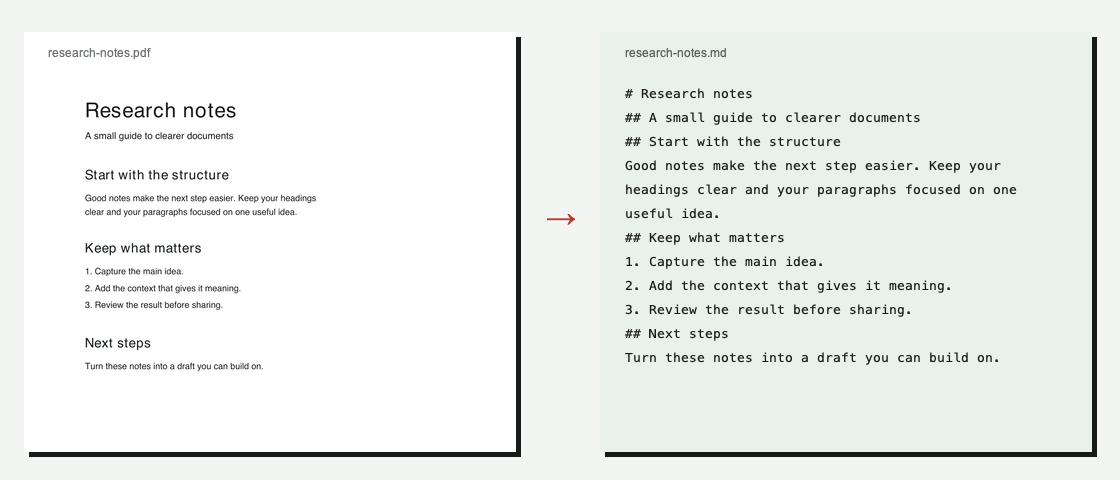
Recover text and infer headings from your PDF. Review the reading order before using the result.
PDF → .md
Give your documents a fresh start. Turn text-based PDFs into editable Markdown, ready for your notes, docs and next idea.
Text PDF · Free: Your PDF stays in your browser. No upload required.
01 / The output
Recover text and infer headings from your PDF. Review the reading order before using the result.
Edit the Markdown source or read a formatted preview. Take your notes into your own workflow.
Copy the text or download a standard .md file. No account is needed for local conversion.
02 / How it works
Open the converter and choose a text-based PDF, up to 20 MB and 100 pages.
Conversion runs in your browser. Check headings, paragraphs and reading order, then edit the source.
Copy the Markdown or download a .md file for your editor, documentation or notes.
03 / FAQ
Yes. Text-based PDF conversion runs locally in your browser and does not require an account or credits.
Use a PDF with selectable text. Files must be no larger than 20 MB and contain no more than 100 pages. Password-protected PDFs are not supported.
Scanned PDF · OCR: 20 MB · 20 pages · 2 credits/page. Failed OCR pages are refunded. Review the output before use. Tables, columns and formulas may need correction.
Text PDF · Free: Your PDF stays in your browser. No upload required. OCR sends page images to WaveSpeed for recognition. Results are saved for 7 days. Submitted pages continue processing after you leave.